Self-Hostember #10: Stalwart: Hosting your own email
Table of Contents
ℹ️ This post is part of a series , and it assumes that you’ve followed the instructions from Day Zero first.
Email’s Bad Reputation
Self-hosting email is a divisive topic. It is, admittedly, a difficult service to get perfect and even when you do everything right you are still likely to have fringe issues now and then.
That’s not (just) because of raw technical reasons. Anyone can host an email server, which makes it hard to know which ones can be trusted to be well run. This results in a vicious cycle:
- Establishing whether a small email server can be trusted is difficult at scale.
- So: large email providers trust each-other (Google, SendGrid/Twilio, Yahoo, Microsoft)
- So: small email providers are at a deliverability disadvantage.
- So: people use the large providers.
- So: large providers can justify marking small servers as less trustworthy.
- (Repeat)
If you look in the comments section of a post about hosting email you will find a lot of “don’t bother, just give in and pay $COMPANY” and also “I’ve been hosting my own email since the 90’s and I don’t have any problems”.
Well: I’ve been hosting email since the 90’s and I think it’s full of problems and that you should try and do it anyway.
Why it matters
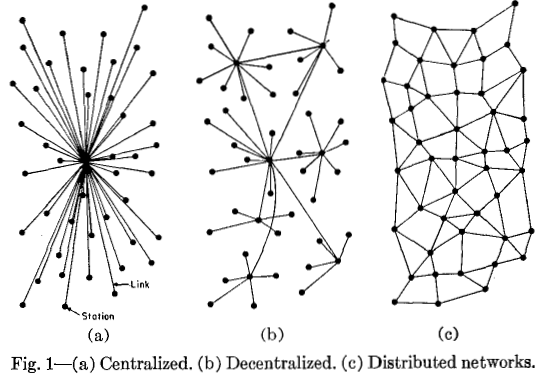
This image is from Paul Baran’s 1962 paper “On Distributed Communication Networks ”. Email is often the first example cited for a truly federated service (especially when people say that federation can’t work) – but it’s increasingly not true.
jwz shared stats in his post “Today in Email Hegemony ” that 94% of the email addresses on the DNA Lounge store are from the top 10 providers, of which 73% is GMail and “everything else” (that’s you and me, today!) are just 5.8%.
That’s domains – objective sources of email traffic are hard to find, but the above doesn’t include anyone who uses a Google Workspace email account. Every job that I’ve had since 2006 has used Google Workspace.
This matters because email is one of the most fundamental original things on the Internet: a system that you don’t need permission to run, a network that you don’t need to “join”
Email fatalism
When you say you’re going to self-host email there are some common arguments that people make against it:
“Google already has all your email, because half of the people you are going to exchange email with are already using Google’s servers!”
This is true. If you’re going for secrecy then this won’t help. But there’s a big difference between being a Google customer and not being one when it comes to what kind of profile Google (or any large provider) has permission to build on you.
“All your email will end up in spam.”
I just … haven’t experienced this? Yes, if your email server is sending spam, you are likely to end up in the spam mailbox. This can also be true because the ISP that you are using isn’t acting on abuse complaints and is a known harbor for spammers. And, of course, if you don’t configure your mail server correctly, that isn’t going to help.
You need a hosting provider with a clean reputation, that lets you control your reverse DNS and that allows port 25 in and out. (By the way, we are one of those hosting providers .)
I’ve run email servers for literally decades and, for my personal email, I’ve had less than ten issues with deliverability. But that’s more than zero, so I have some sympathy for personal accounts like this one where emails to new contacts have a higher chance of getting marked as spam. (Although in this case the author admits, in the footnote, that his example of emailing his mom does actually work).
When I hosted for a commercial company, things were different; managing your reputation is your responsibility. If you’re reading this and looking to self-host your business: you still shouldn’t give up, but the haters might have more of a point.
Are we going to actually install some software or what?
Oh yeah, that’s what we do here.
Let’s look at Stalwart , it’s a modern all-in-one email server with built-in support for the DMARC/DKIM/SPF which are almost the minimal bar for working email but still sometimes absent (or external to) traditional email software. It’s written in Rust and it’s available in a Docker image.
Funding and License
It’s dual-licensed as AGPLv3 and their own custom commercial license . We’ll be complying with the AGPL here, so that’s fine.
They also solicit sponsorship on GitHub and receive funding from NLnet:
Part of the development of this project was funded through:
NGI0 Entrust Fund, a fund established by NLnet with financial support from the European Commission’s Next Generation Internet programme, under the aegis of DG Communications Networks, Content and Technology under grant agreement No 101069594.
NGI Zero Core, a fund established by NLnet with financial support from the European Commission’s programme, under the aegis of DG Communications Networks, Content and Technology under grant agreement No 101092990.
Installation
You’ll need to be happy handing over your domain to Stalwart; this is a bit of an all-or-nothing situation, and we’re going to make extensive changes to its DNS configuration. I’m going to host rueful.ca, a new domain I’ve been meaning to move over to.
We’ll add the web interface to Caddy:
stalwart.easuan.ca {
   reverse_proxy 127.0.0.1:8080
}
And we’ll write a small docker-compose.yml for the service that exposes ports directly:
services:
  stalwart:
    image: stalwartlabs/stalwart:latest
    container_name: stalwart
    restart: unless-stopped
    network_mode: host
    volumes:
      - ./stalwart-storage:/opt/stalwart
You’ll need to get the initial admin password from the logs:
docker logs stalwart
✅ Configuration file written to /opt/stalwart/etc/config.toml
🔑 Your administrator account is 'admin' with password 'hunter2'.
Now we can log in, and this is already looking pretty nice:
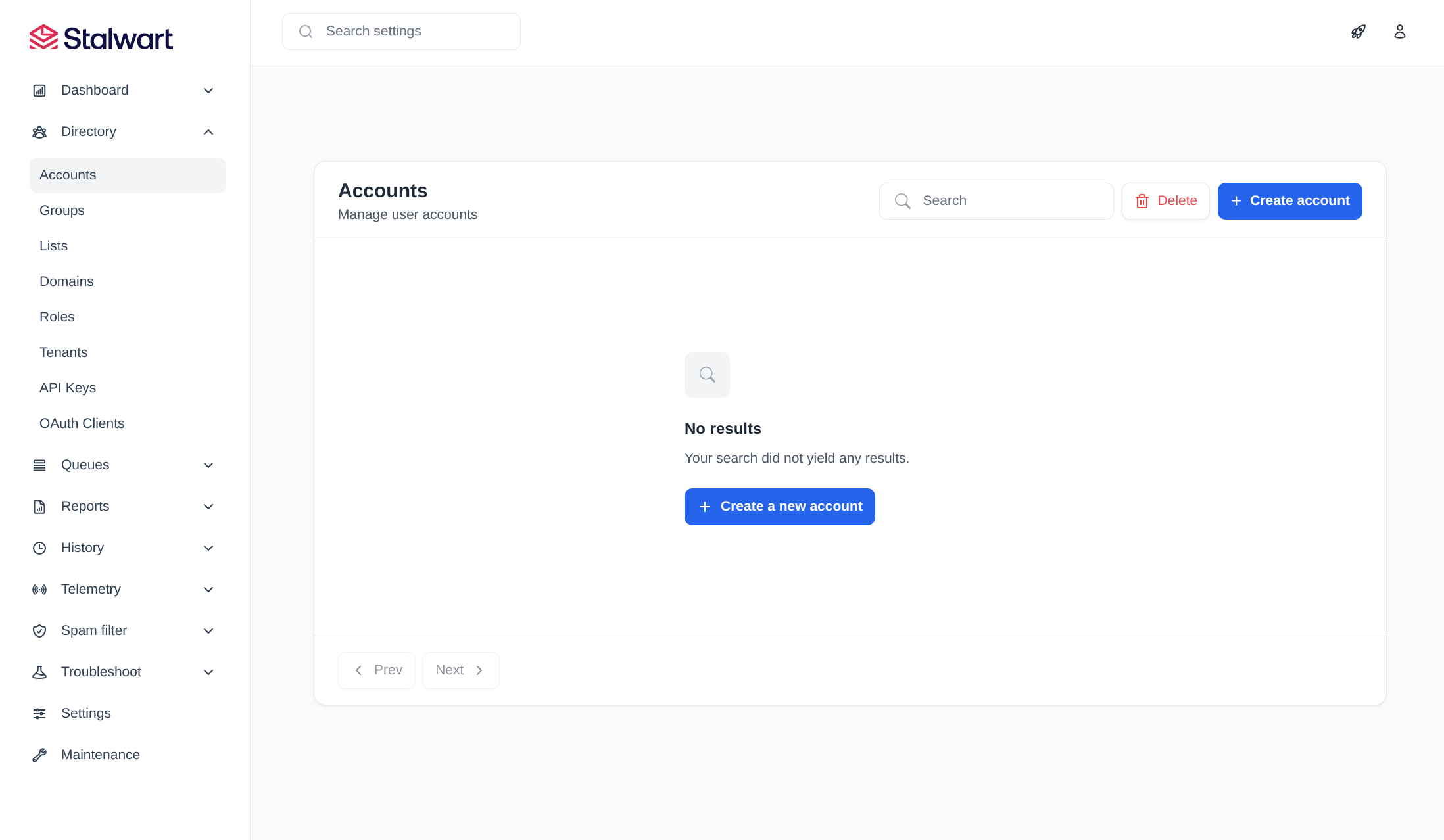
Let’s configure a domain by selecting “Domains” on the left and clicking Create a new domain:

We’ll need to grab the DNS settings to set them up in our provider:
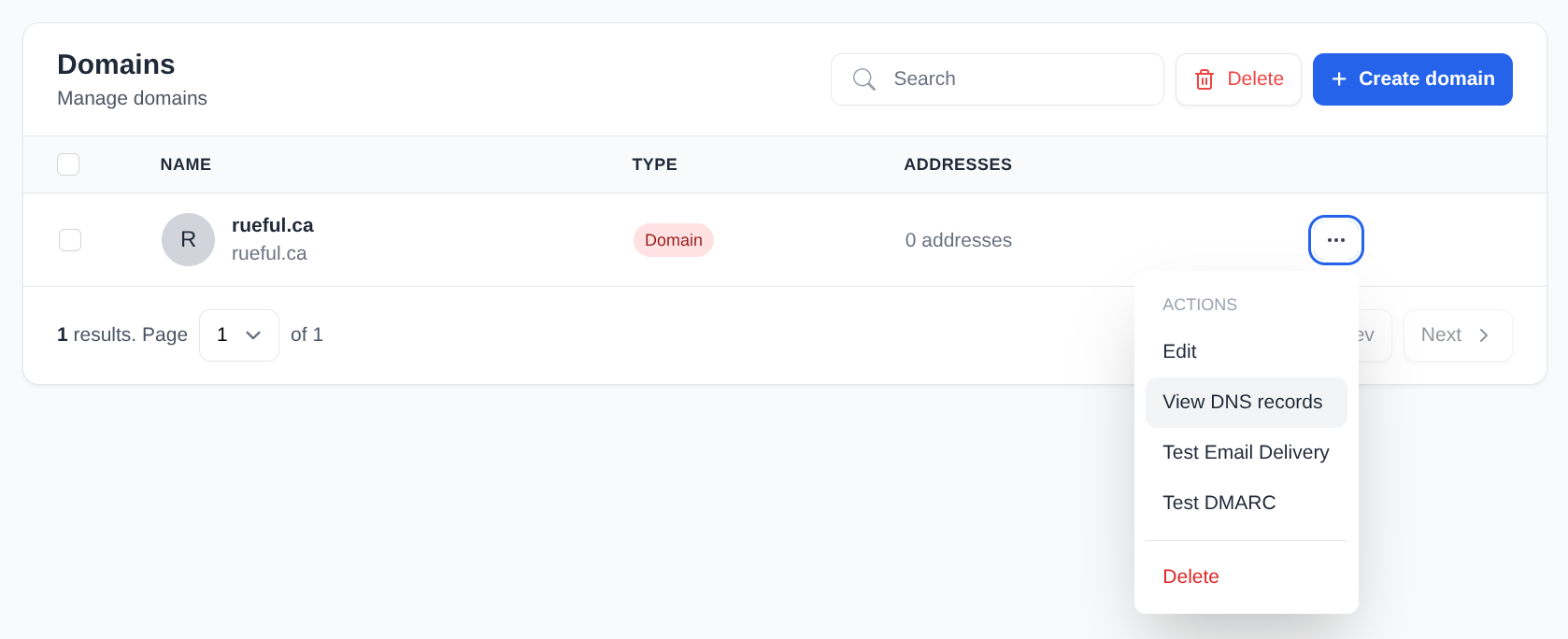
There’s really quite a few of them.

A couple of things here – what’s 9e56d889ffdf? That’s a randomly generated hostname from Docker, so we’ll need to sort that. The other thing: you don’t need all of these records necessarily.
You absolutely need the MX record in order to receive email. You are really going to want the TXT records for SPF and DMARC to work. The SRV and CNAME records are just nice-to-haves for making your email client auto-fill some fields based on your email address; you wouldn’t save yourself a lot of typing by skipping them – unless your DNS provider supports BIND zone files, in which case, scroll down for a copy-and-pastable version.
We’ll update the hostname by clicking on “Settings” on the left. My server is actually called raw.insom.me.uk – that’s the hostname and reverse DNS for the IP.
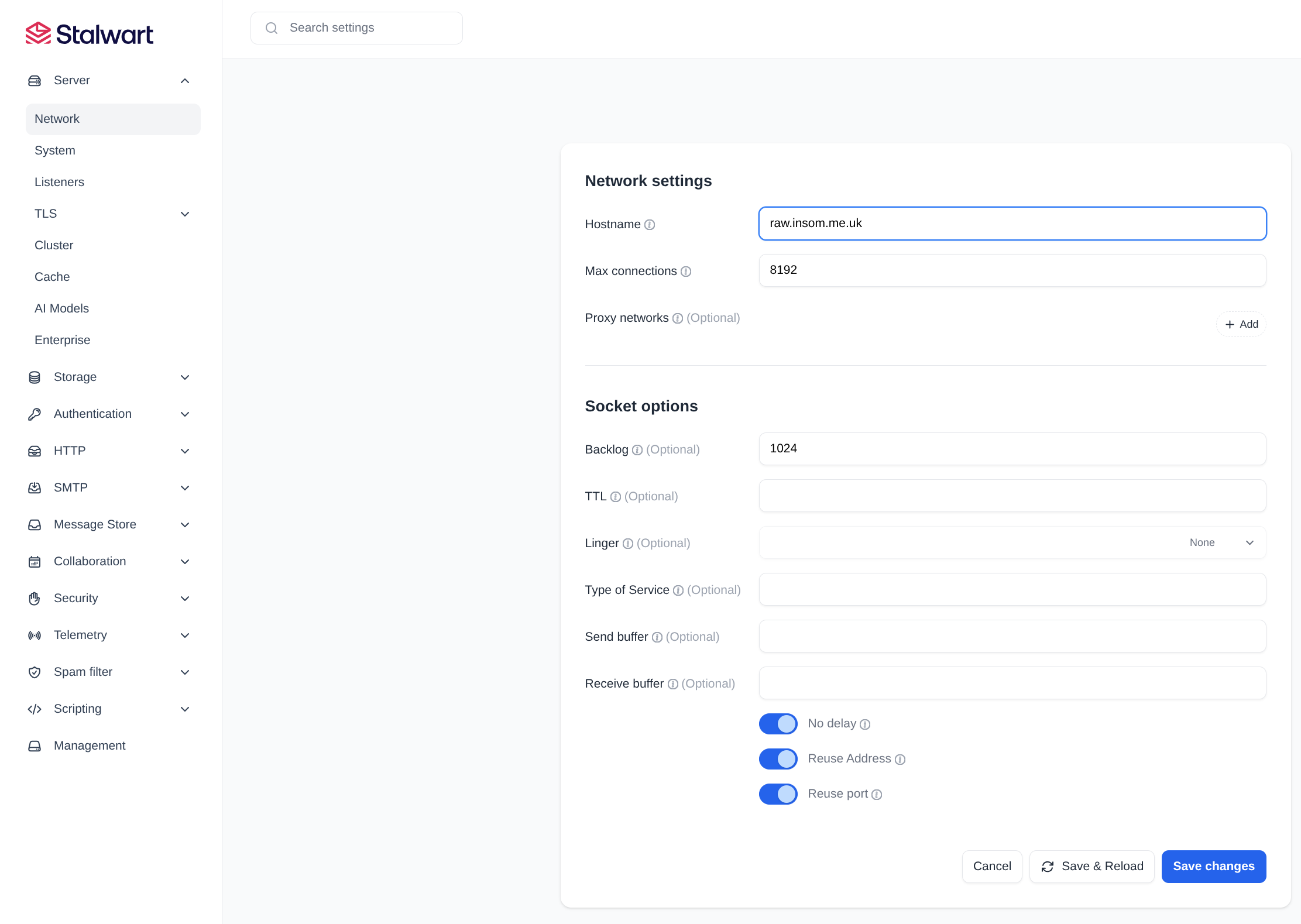
Much better. Now we can click on “Management” and then “Domains” and view our DNS again where it makes much more sense:
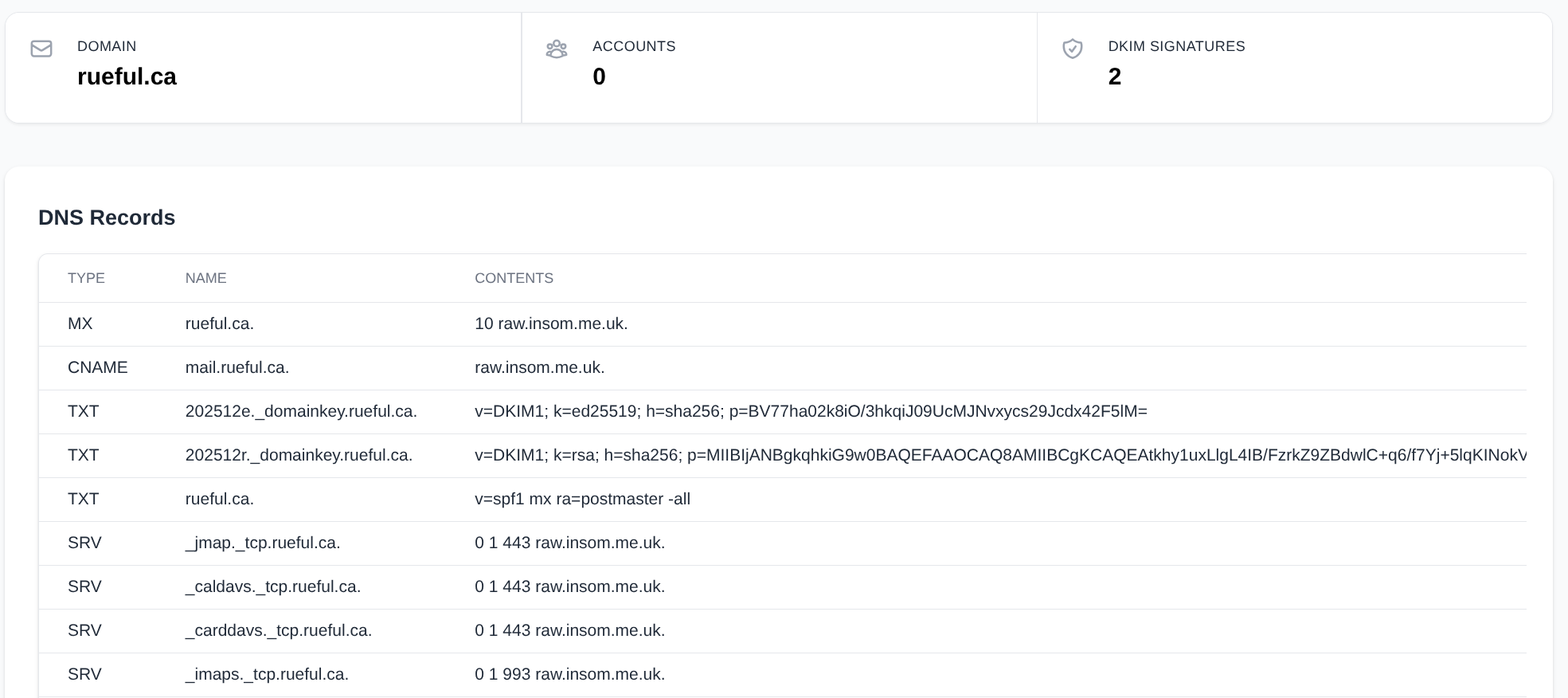
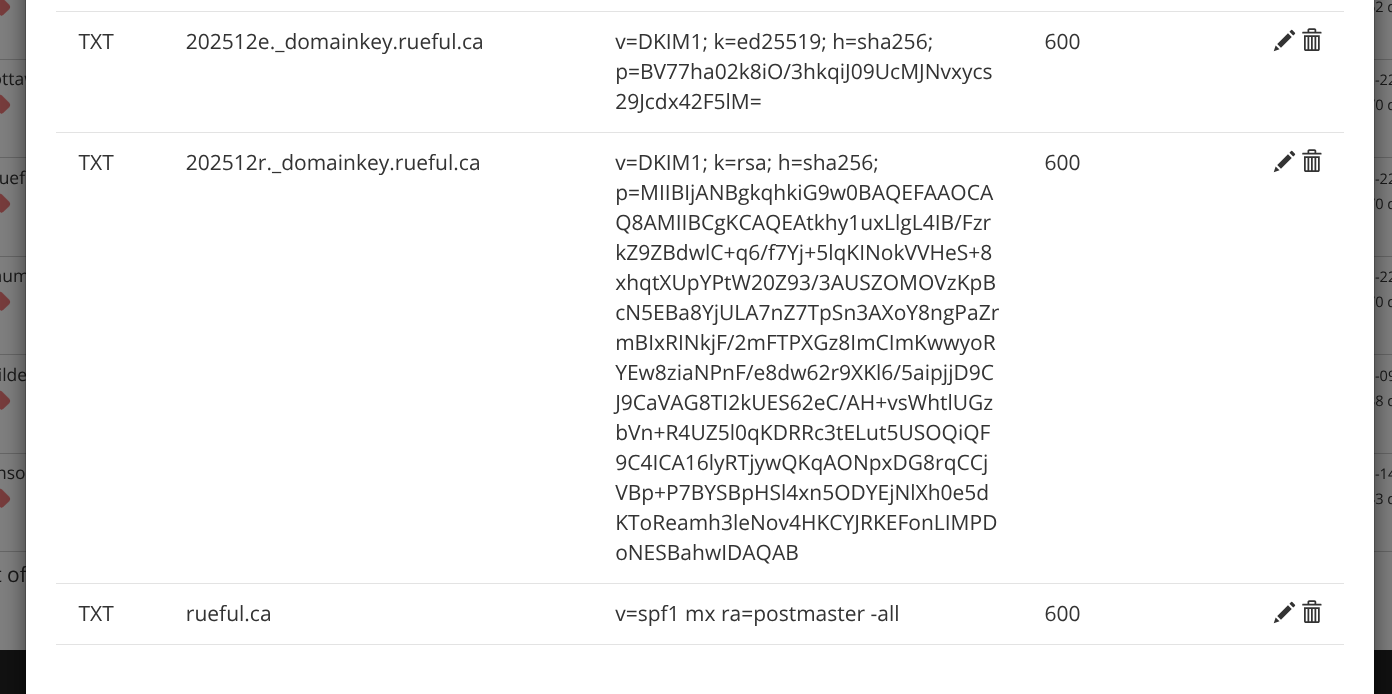
I apply those changes in Porkbun’s UI:
A little weirdly, we don’t add users to a domain – we add user accounts at the top level. I’ll create one for me and add insom@rueful.ca as an email address (I can add many, here):

I logged out as admin, then logged back in as “me”. I’ve chosen not to encrypt my emails at rest: my threat-model is more concerned with losing email due to an encryption mistake than having them compromised. You might have different priorities, though!

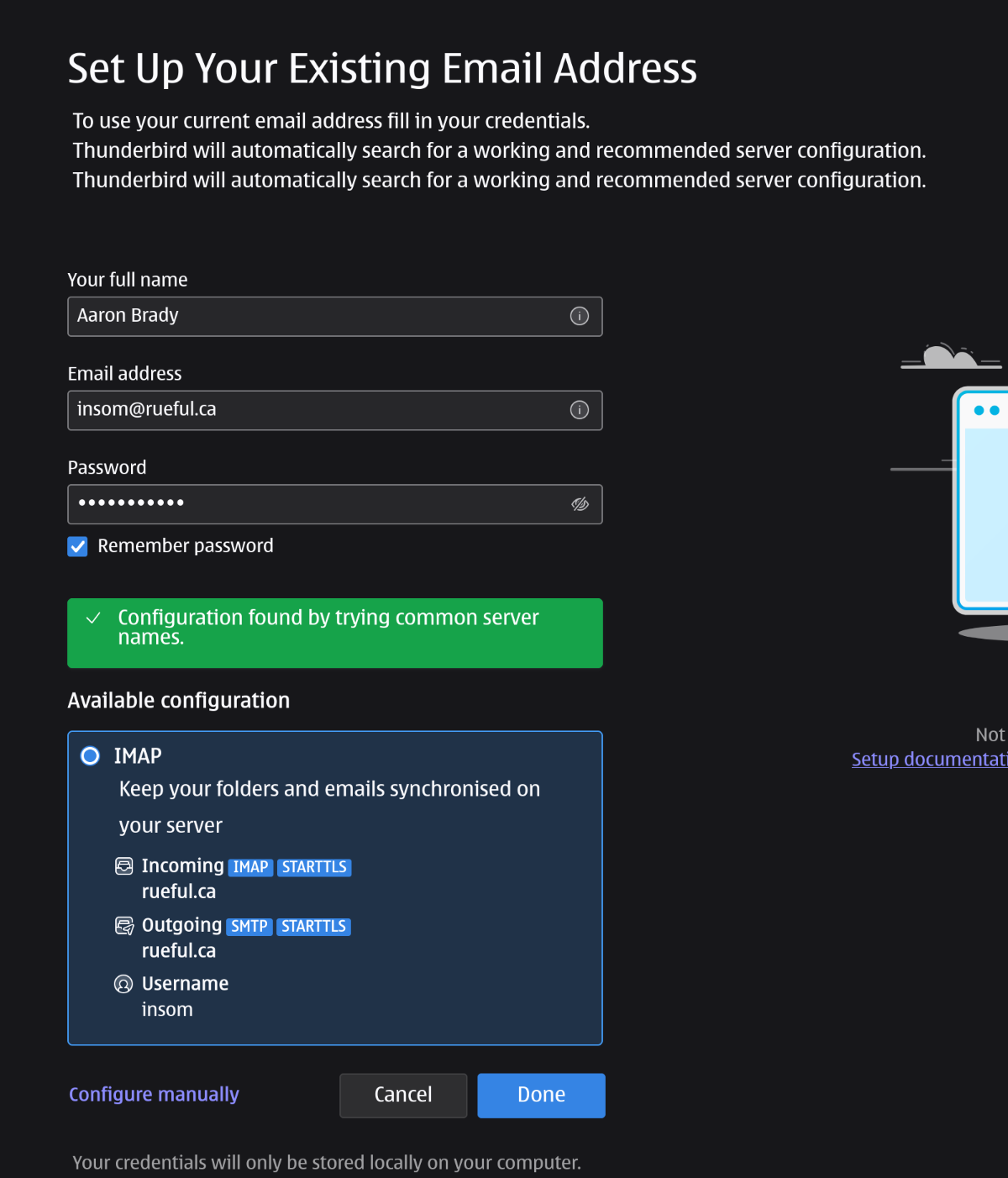
I add this user to Thunderbird. Because rueful.ca already points at the same place as my mail server this all just works, even without the SRV records and CNAMEs:
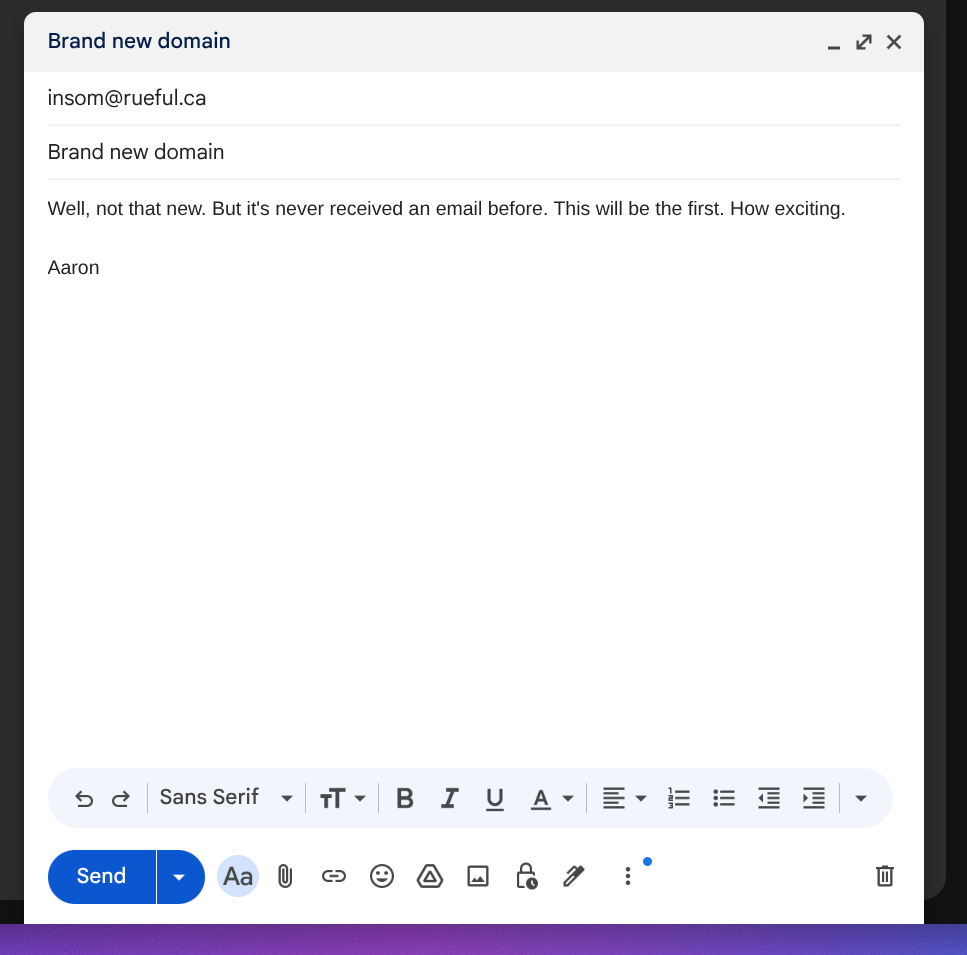
Let’s send it an email from my GMail account (yes, you can call me a hypocrite):
It took 70 seconds for the email to arrive in my mailbox:

And here’s what Stalwart thinks of it, spam-wise:
X-Spam-Result: DMARC_POLICY_ALLOW (-0.50),
	DKIM_ALLOW (-0.20),
	ARC_NA (0.00),
	DKIM_SIGNED (0.00),
	DMARC_POLICY_ALLOW_WITH_FAILURES (0.00),
	DWL_DNSWL_NONE (0.00),
	FROM_EQ_ENV_FROM (0.00),
	FROM_HAS_DN (0.00),
	HTML_SHORT_1 (0.00),
	MID_RHS_MATCH_ENV_FROMTLD (0.00),
	MID_RHS_MATCH_FROMTLD (0.00),
	PREVIOUSLY_DELIVERED (0.00),
	RCPT_COUNT_ONE (0.00),
	RCVD_COUNT_ONE (0.00),
	RCVD_TLS_LAST (0.00),
	SPF_SOFTFAIL (0.00),
	TO_DN_NONE (0.00),
	TO_MATCH_ENVRCPT_ALL (0.00),
	RDNS_NONE (2.00)
X-Spam-Status: No, score=1.30
Basically, the DMARC/DKIM validation is pulling a lot of weight here.
Let’s reply.

Nice, that arrived even quicker than our email from Google did. And helpfully we’re not considered spammers. We can look at the headers and see what Google thinks of us:
Return-Path: <insom@rueful.ca>
Received: from raw.insom.me.uk (raw.insom.me.uk. [23.133.40.5])
        by mx.google.com with ESMTPS id 6a1803df08f44-889a85f54aasi35195226d6.234.2025.12.13.20.34.00
        for <bradya@gmail.com>
        (version=TLS1_3 cipher=TLS_AES_256_GCM_SHA384 bits=256/256);
        Sat, 13 Dec 2025 20:34:01 -0800 (PST)
Received-SPF: pass (google.com: domain of insom@rueful.ca designates 23.133.40.5 as permitted sender) client-ip=23.133.40.5;
Authentication-Results: mx.google.com;
       dkim=pass header.i=@rueful.ca header.s=202512r header.b=me4wapdy;
       dkim=neutral (no key) header.i=@rueful.ca;
       spf=pass (google.com: domain of insom@rueful.ca designates 23.133.40.5 as permitted sender) smtp.mailfrom=insom@rueful.ca
DKIM-Signature: v=1; a=rsa-sha256; s=202512r; d=rueful.ca; [REDACTED FOR LENGTH]
Message-ID: <ff347645-a565-45d1-a12c-f8fd89e0f703@rueful.ca>
Date: Sat, 13 Dec 2025 23:33:59 -0500
MIME-Version: 1.0
User-Agent: Mozilla Thunderbird
Subject: Re: Brand new domain
To: Aaron Brady <bradya@gmail.com>
References: <CA+4dR6MSkouv=W9h_5KW_MMJrDiUof7a=F-eVZFkL_Vb-7p1UQ@mail.gmail.com>
Content-Language: en-GB
From: Aaron Brady <insom@rueful.ca>
In-Reply-To: <CA+4dR6MSkouv=W9h_5KW_MMJrDiUof7a=F-eVZFkL_Vb-7p1UQ@mail.gmail.com>
Content-Type: text/plain; charset=UTF-8; format=flowed
Content-Transfer-Encoding: 7bit
So SPF and DKIM pass ✅, and we already know we have a good quality IP, so no problems then.
What next?
This was a very quick demo of Stalwart and it’s not fully suitable for production. They have excellent documentation on securing it and operating it.
We used a new trick in this episode, network_mode: host. This exposes Docker directly to the same network that we’re connected to, instead of mapping ports. This is good, because then when an email client connects to us we can see their real IP, and check it again DNS disallow-lists.
But it’s also bad because it’s our responsibility to turn off services we don’t want and/or to set up a firewall for sensitive ports. (You could check out our security guide for information on doing that, though!).
Conclusion
Thanks for reading this far, and follow along for future posts in #Self-hostember . You can now follow us on Mastodon to keep up to date with us as well!