Self-Hostember #4: Discourse
Table of Contents
ℹ️ This post is part of a series , and it assumes that you’ve followed the instructions from Self-Hostember #0 first.
What?
The title on the Discourse website says
Discourse is the place to build civilized communities
which is a laudable goal and a pretty big claim for a piece of software, but I appreciate their optimism.
You might have come across Discourse-powered forums without realizing – generally they have a distinctive look, lots of nice whitespace and colour-coded sections. A great example is the forums for Framework laptops .
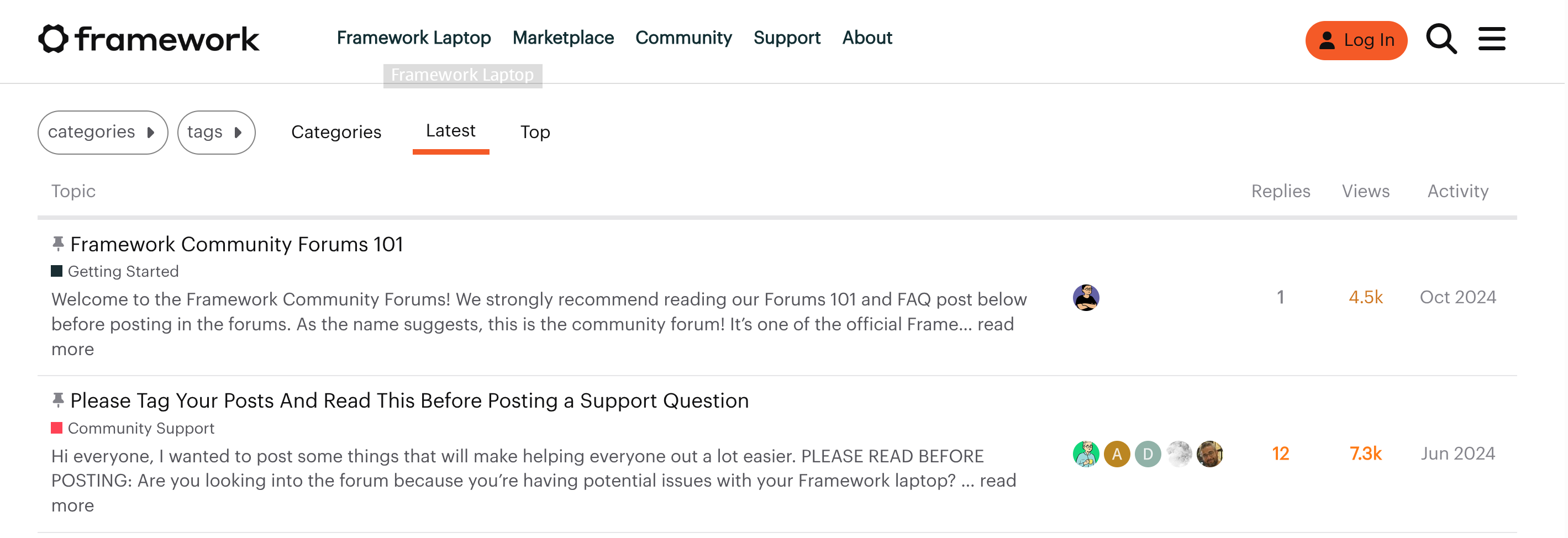
This is pretty stark contrast to the early 2000’s vibe of things like phpBB:
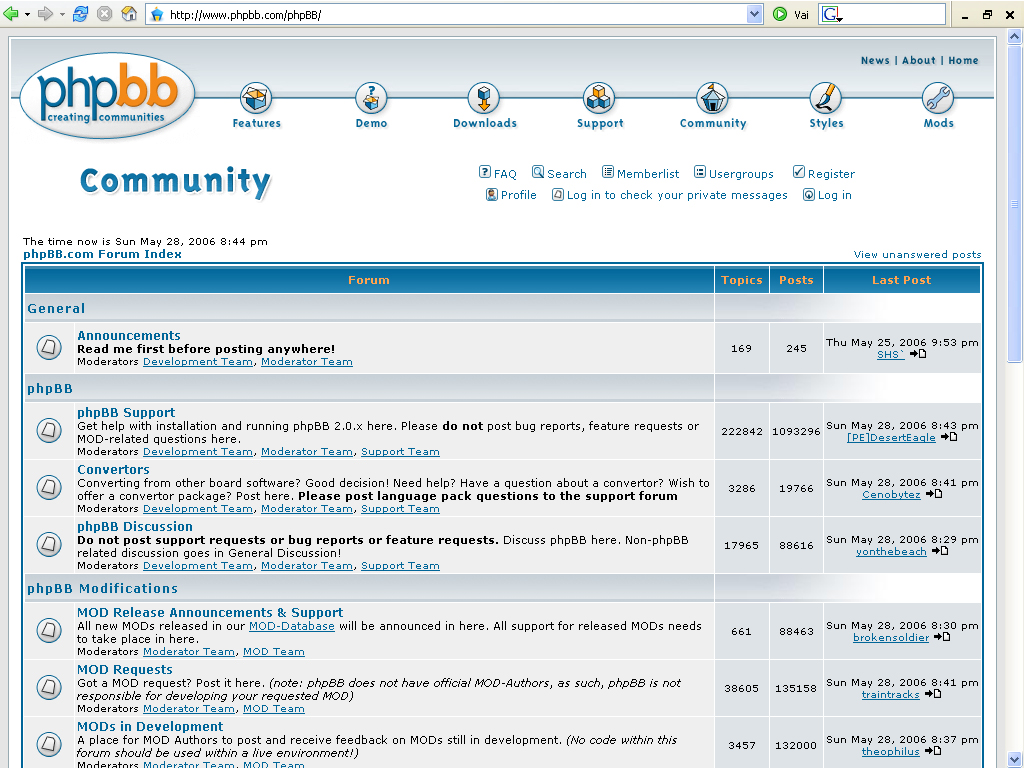
Web forums still exist, but by the 2010’s a lot of their communities moved to centralized services like Reddit. phpBB isn’t as user friendly and suffered from security issues and mailing-list style forums were wracked by migrations to and then from eGroups Yahoo! Groups groups.io as communities were bought, sold and shutdown by former web giants.
Funding & License
Discourse was initially released in 2014, billed as WordPress for forums. It’s developed by a profitable company (although they did raise $20 million of VC money in 2021) and it’s completely open source. It’s GPLv2.
Let’s install it.
Installation
We’ll mostly follow the official installation guide . The guide strongly states that you need a working SMTP server to use – our domain is hosted with Migadu GmbH in Switzerland and I’ll create a dedicated user on the account to send notifications.
If you don’t have email at your domain yet we’ll be posting about that soon but also you might not be able to get a working Discourse install. Discourse also provide a list of providers they recommend .

Then we’ll become root, and checkout Discourse with git into a dedicated directory:
sudo -s
git clone https://github.com/discourse/discourse_docker.git /var/discourse
cd /var/discourse
chmod 700 containers
Because we’re being fancy and using this server for more than one thing (and we have a reverse proxy installed) we can’t use the ./discourse-setup command, which is only suitable for the simplest installations.
We’ll configure the app.yml, based on the template in `samples/standalone.yml:
templates:
  - "templates/postgres.template.yml"
  - "templates/redis.template.yml"
  - "templates/web.template.yml"
  - "templates/web.ratelimited.template.yml"
expose:
  - "127.0.0.1:8990:80" # custom port number, only listening on localhost
params:
  db_default_text_search_config: "pg_catalog.english"
  db_shared_buffers: "256MB"
env:
  LC_ALL: en_US.UTF-8
  LANG: en_US.UTF-8
  LANGUAGE: en_US.UTF-8
  # DISCOURSE_DEFAULT_LOCALE: en
  UNICORN_WORKERS: 4
  DISCOURSE_HOSTNAME: 'discourse.easuan.ca'
  DISCOURSE_DEVELOPER_EMAILS: 'aaron@colocataires.dev'
  DISCOURSE_SMTP_ADDRESS: smtp.migadu.com
  DISCOURSE_SMTP_PORT: 587
  DISCOURSE_SMTP_USER_NAME: discourse@colocataires.dev
  DISCOURSE_SMTP_PASSWORD: "hunter2"
  DISCOURSE_NOTIFICATION_EMAIL: discourse@colocataires.dev
  #DISCOURSE_SMTP_AUTHENTICATION: plain # plain|login|cram_md5
volumes:
  - volume:
      host: /var/discourse/shared/standalone
      guest: /shared
  - volume:
      host: /var/discourse/shared/standalone/log/var-log
      guest: /var/log
Now we should add it to our Caddy configuration and reload. This has to be done before the next step.
discourse.easuan.ca {
    reverse_proxy 127.0.0.1:8990
}
We’ll tell it to rebuild itself using our config. This takes a long time (70 minutes for me!):
# systemctl reload caddy
# ./launcher rebuild app
x86_64 arch detected.
WARNING: This output is designed for human readability. For machine-readable output, please use --format.
Ensuring launcher is up to date
Launcher is up-to-date
2.0.20251003-1437: Pulling from discourse/base
Digest: sha256:0db7c9b4598e2a1806658391669d791fd779aa4301fdfbed6a7f322bf64e66ab
Status: Image is up to date for discourse/base:2.0.20251003-1437
docker.io/discourse/base:2.0.20251003-1437
/usr/local/lib/ruby/gems/3.3.0/gems/pups-1.3.0/lib/pups.rb
/usr/local/bin/pups --stdin
I, [2025-12-04T02:00:15.125166 #1]  INFO -- : Reading from stdin
...
Truly lots and lots of output. Lots. It’s going to start PostgreSQL. It’s going to git clone. It’s going to install node_modules with pnpm. Then it’s bundle’s turn. Patience is a virtue.
Eventually our patience will be rewarded. When you see
2025-12-04 02:59:36.134 UTC [60] LOG: database system is shut down
You’re nearly done. Shortly after it’ll spit out a git SHA and then return you to your prompt and leave the server running:
63fbb2d8e379305e47ee846aa8b8ed525dd3f433e174efa337967e964f1001f3

I genuinely feel like I deserve these congratulations.
When you create your initial user, pay attention to the password requirements. Your password must be 15 characters long. I missed this and I didn’t get an error but nothing … happened when I clicked register. I have been spoiled by form validation.
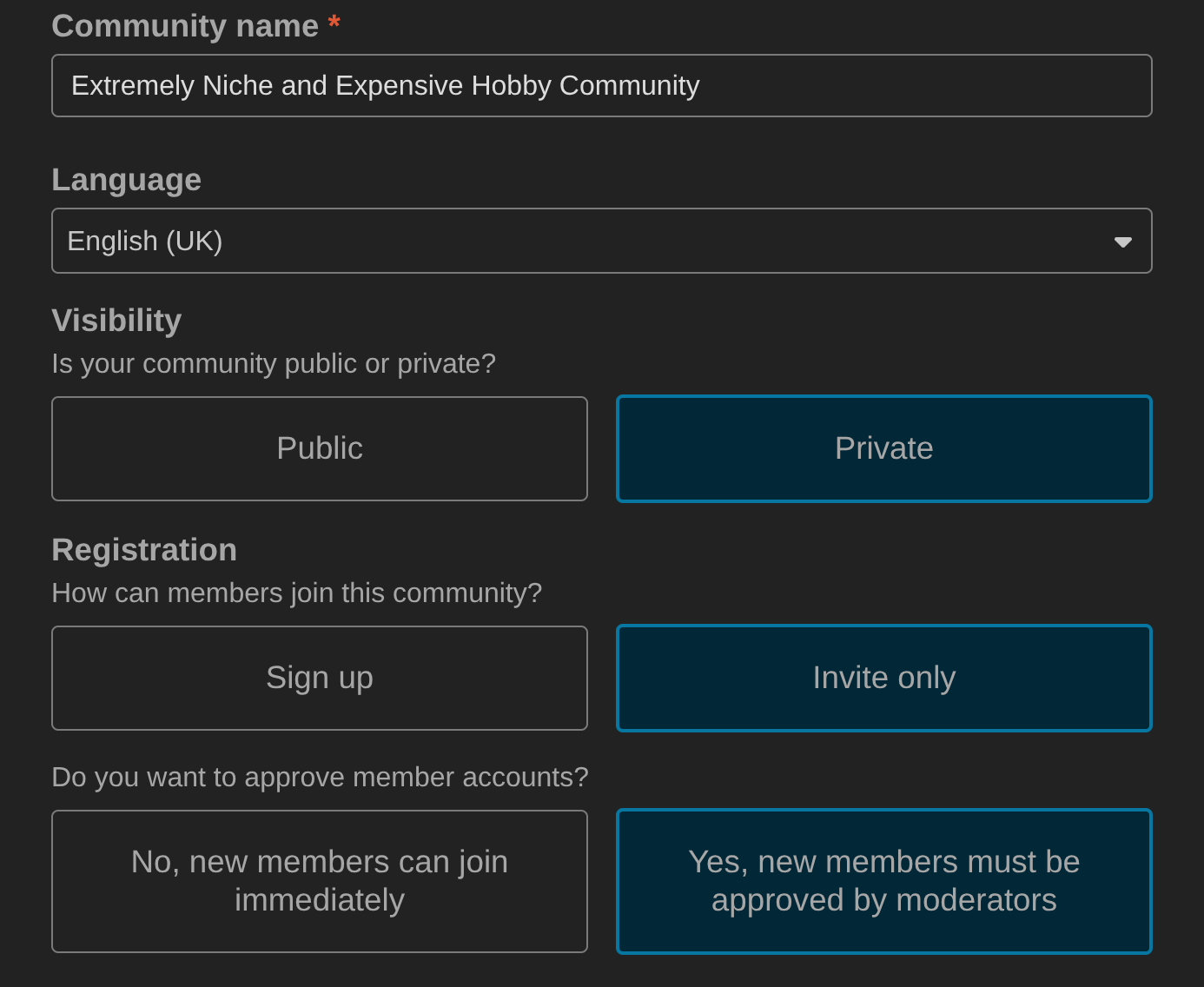
We can make our new forum public or private, invite-only etc.
I’ve even earned my first badge, although I don’t appreciate being called basic:

It actually has an extremely slick onboarding and first use experience for admins. This is one of those benefits of Open Source which aims to turn a profit: you care about onboarding:
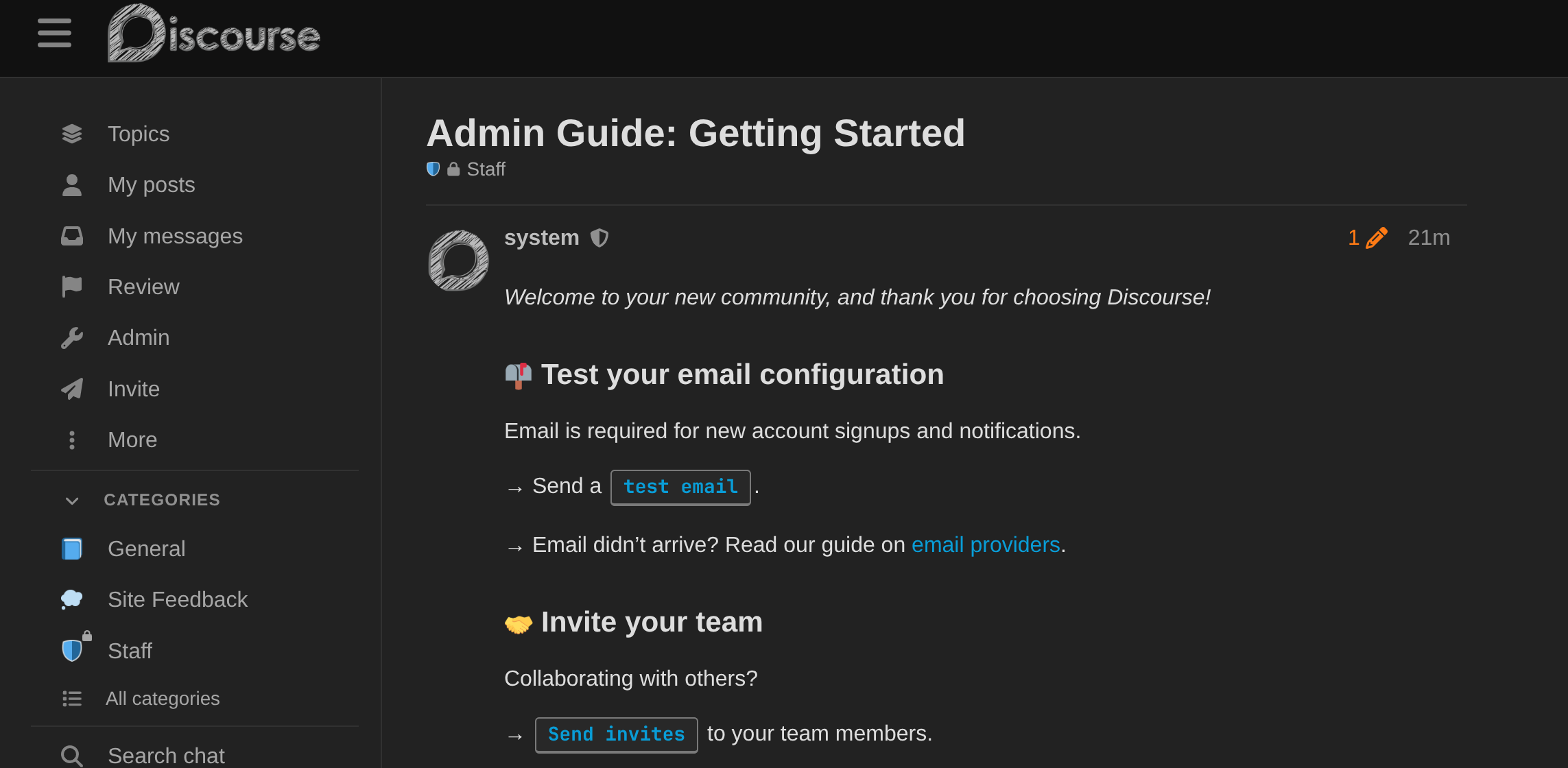
And if we look in the bottom left you’ll see that Discourse includes a whole chat system.

I’m impressed! This really could be a one-stop solution for hosting a hobby community, without having to also have a Discord or a Slack etc.
I guess the next step is to invite some friends?
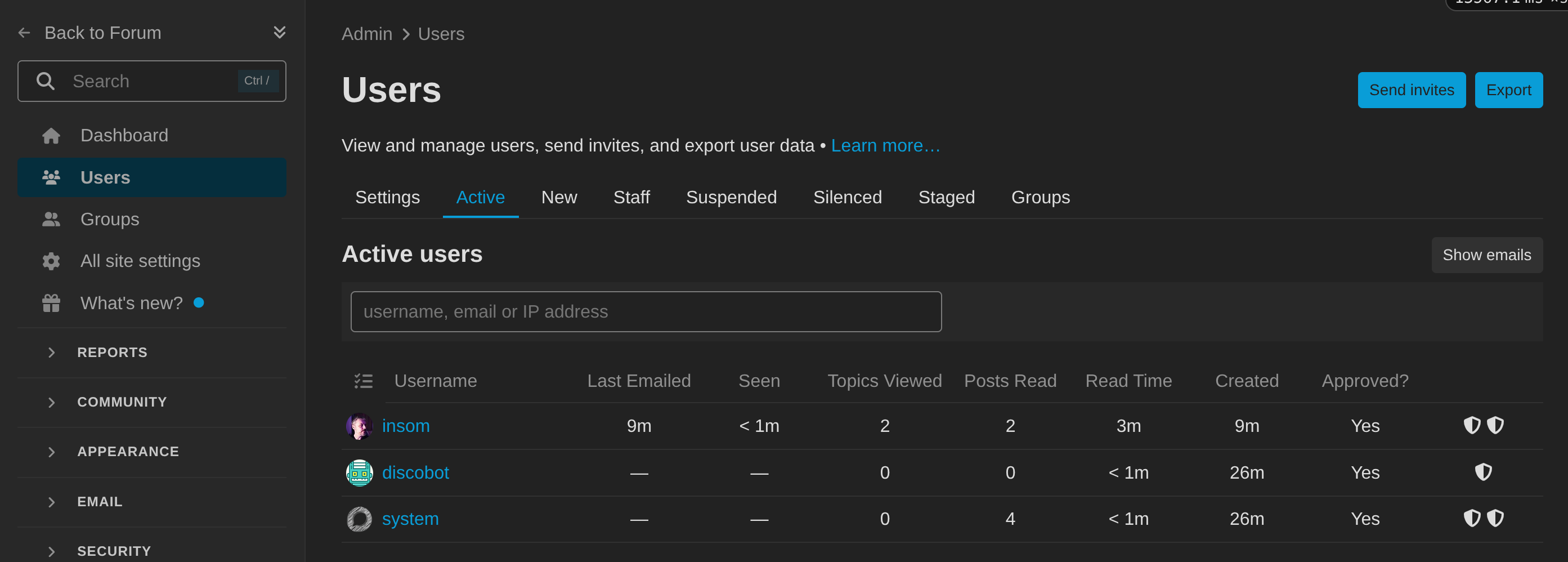
It’s a big piece of software, so you’re going to want to look at official documentation which is obviously delivered as a Discourse forum.
Thanks for reading this far, and follow along for future posts in #Self-hostember or follow us on Mastodon to keep up to date!